Google登入功能開發
1. Get a Google Client ID
- Go to https://console.cloud.google.com/
- Create a project (or use existing)
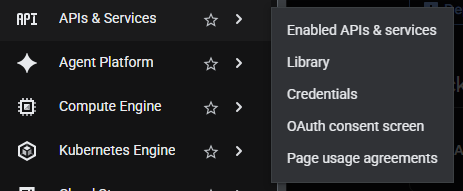
- Go to APIs & Services → Credentials
- Click Create Credentials → OAuth 2.0 Client ID
- Set application type to Web application
- Add your frontend's origin to Authorized JavaScript origins (e.g. http://localhost:5173)
- Copy the Client ID
2. Set the environment variable
GOOGLE_CLIENT_ID=your-client-id-here.apps.googleusercontent.com